HONOR MagicOS offers powerful tools to maximize your device’s battery life. By configuring settings properly, users can enjoy extended usage without frequent recharges. This guide dives into strategies that focus on reducing unnecessary power drain. Simple adjustments can lead to significant improvements, allowing you to streamline device performance while preserving battery capacity. Beyond basic tips, this article also explains advanced methods like adjusting power modes, controlling app behavior, and optimizing charging habits. With a few changes, your device can become more energy-efficient, helping you stay connected without interruptions throughout the day.
Know What Drains Your Battery First
Identifying the primary factors draining your battery is crucial. Apps running in the background without smart management can deplete power quickly. High-resolution displays, constant connectivity, and excessive notifications contribute to battery loss. Usage statistics found in MagicOS settings can guide users to determine which apps and functions consume the most power. Frequent location services and inactivity wake-ups should be monitored and managed. Analyze these to understand power consumption patterns. With this data, users can make informed decisions on where to cut back. Addressing these factors is the first step towards enhancing battery life. Stay vigilant about identifying and minimizing these drains, creating a foundation for the following power optimization strategies.
Use MagicOS Power Modes the Right Way
Turn On Low Battery Mode for Daily Savings
Engage the Low Battery Mode to regulate day-to-day battery usage. This mode reduces background syncing and dims the display to conserve energy. It’s perfect for moderate savings throughout the day. This mode intelligently manages system processes and widget updates, balancing performance and energy use. Enabling it regularly keeps your battery consumption in check without drastically affecting device functionality.
Set Up Smart/Ultra Power Saving for Emergencies
In critical situations, activate Smart or Ultra Power Saving modes. These settings drastically minimize power usage by limiting available apps to essentials like calls and messages. Ultra Power Saving Mode takes significant steps by turning off background processes completely. It’s designed for preserving battery during emergencies when extended life is paramount. Setting these modes comes recommended for users who are low on battery but still need vital functionalities.
Control Apps and Background Activity
Stop Battery Hogs with App Launch & Auto-Run
MagicOS provides tools to control which apps launch automatically or continue running in the background. This feature helps identify battery-intensive apps, allowing users to restrict their operation. Customize app permissions, ensuring only essential apps run seamlessly, preventing power drain. This active management avoids unnecessary battery consumption, optimizing your device’s performance by freeing up resources.
Limit Notifications, Sync, and Idle Wakeups
Constant notifications and background syncing are sneaky battery-depleters. Adjust MagicOS settings to limit syncing frequency and reduce notification alerts. Manage idle wake-ups, minimizing battery waste during periods of inactivity. Configuring these settings intelligently reduces needless consumption, effectively extending battery life throughout the day without impacting productivity.
Charge Smarter to Protect Long-Term Battery Life
Enable Smart Charging and Peak Capacity
Smart Charging intelligently regulates power flow during recharges. This feature automatically optimizes the charge cycle to preserve battery health. Enable Smart Charging on MagicOS to prevent overcharging and lessen battery wear. Peak Capacity settings limit maximum charge levels to avoid continuous charging cycles, enhancing both immediate and long-term battery performance. It’s a comprehensive approach that focuses on extending the lifespan of your battery through smart energy management.
Optimize Connectivity and Location
Connectivity features like Wi-Fi, Bluetooth, and GPS are constant power consumers. Temporarily disabling these when not in use contributes to battery savings. MagicOS settings allow users to customize location service usage efficiently. Turn off these features or activate their low-power mode variants during idle periods to conserve energy. Mastering these connectivity optimizations has a profound effect on battery duration, keeping your device active for longer.
Use HONOR Products and MagicOS Features to Help
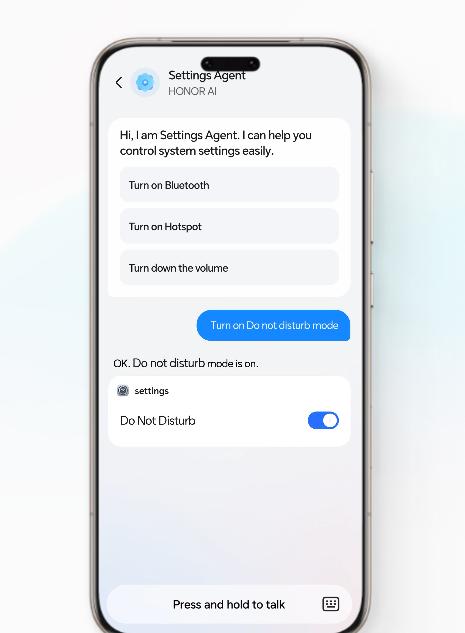
HONOR’s ecosystem offers comprehensive solutions for battery maintenance. Explore MagicOS’s Built-in Battery Optimizer, an advanced tool for users seeking deeper control over power usage. Pair your device with compatible HONOR accessories that enhance battery life, like fast chargers designed for prolonged efficiency. These products and features work in synergy, elevating battery performance and extending usage time without experiencing power loss.
Conclusion
By integrating these strategies, MagicOS users can effectively boost their device’s battery life. Control over power consumption not only extends usage but ensures optimal device performance. From managing connectivity settings to using specialized power modes, each adjustment makes a significant difference. Embrace these comprehensive tips and your HONOR device will experience significantly improved battery endurance, enabling you to remain connected, productive, and entertained without frequent recharges or interruptions.